
If you run a funeral home or work as a funeral director, families often hand you their loved one’s details and expect a finished program, slideshow, or welcome sign within days, sometimes hours. This guide is written for funeral homes and directors, not for families making a program themselves.
It compares the three main ways to produce that stationery (outsourcing, dedicated funeral stationery software, and Canva), and explains why many independent funeral homes are choosing Canva over the alternatives.

The Three Ways Funeral Homes Handle Stationery Today
Most independent funeral homes fall into one of three setups:
- Outsourcing to a print shop or designer, who handles layout and printing but adds turnaround time and per-order cost
- Dedicated funeral stationery software, built specifically for funeral homes, usually bundled with other case management tools
- A general design tool like Canva, used with ready-made funeral templates
Each comes with real tradeoffs in cost, speed, and how much design skill your staff needs.
Outsourcing to a Print Shop or Designer
Sending stationery out to a print shop or freelance designer means you're not the one doing the design work, but it also means you're working around someone else's schedule. Tight, inflexible deadlines and limited room for last-minute changes are common complaints, which is a real problem when a family wants to add a photo or fix a name the morning of the service. Outsourcing can also mean a higher per-unit cost and less control over paper quality and finishing.
Dedicated Funeral Stationery Software
Software built specifically for funeral homes typically lets staff enter a family's details once and reuse that information across multiple stationery pieces, cutting down on repetitive data entry. The tradeoff is usually cost and flexibility. These platforms are often bundled into larger case management systems with their own monthly or per-license fees, and the design templates themselves can be harder to customize beyond what the software allows.
Canva for Funeral Homes
Canva splits the difference. Your staff get the speed and control of designing in-house, without needing design training, and without the layout being locked into a rigid software template. A Canva funeral home subscription gives your team a library of order of service, slideshow, and poster templates they can open, personalize with a family's photos and details, and export as a print-ready file, all inside a tool most staff have likely already used before.
Because it's commercially licensed for funeral homes specifically, there's no restriction on how many client families you create stationery for, and your whole team can work from the same shared template library rather than starting from scratch each time.
What's Included in the Canva Subscription
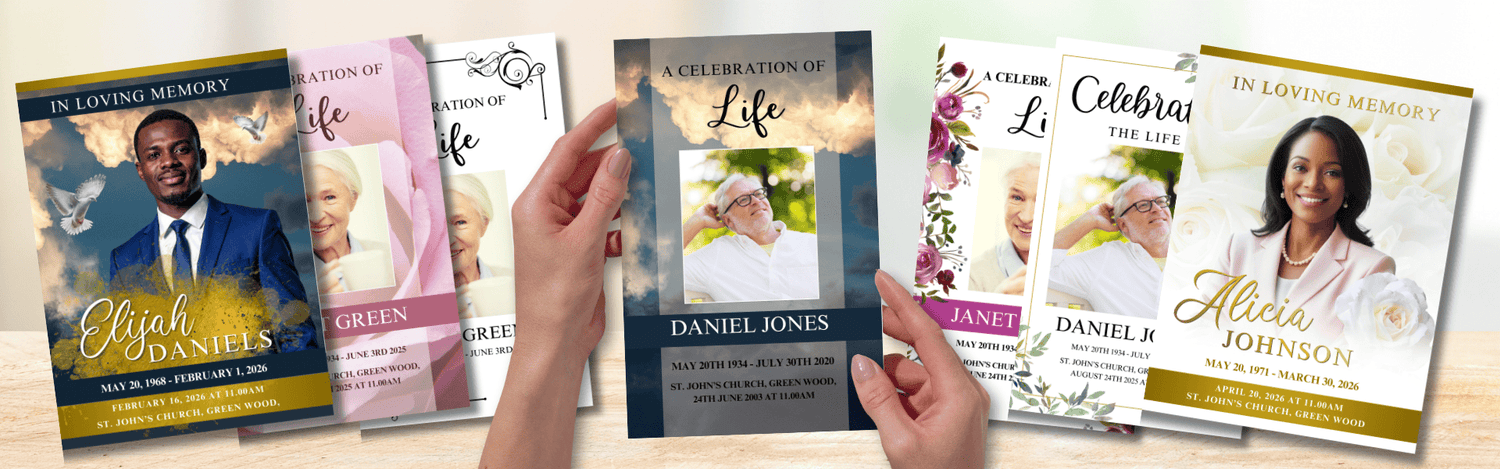
A Canva funeral home subscription gives your team instant access to the full library of order of service templates, slideshows, and posters, in bifold, trifold, and 8 through 16 page booklet formats. New designs are added to the library regularly at no extra cost, so the template selection keeps growing for as long as you're subscribed.
Two plans are available: £49/month (approx. $65), or £395/year (approx. $522), a 33% saving over paying monthly, both starting with a 7-day free trial so your team can test it on a real case first.
The commercial licence covers unlimited use across every client family, and because it's built for team access, your whole staff can work from the same shared library rather than each person maintaining their own set of files.
What to Weigh Before You Choose
| Factor | Outsourcing | Dedicated software | Canva |
|---|---|---|---|
| Turnaround time | Slowest, depends on a third party | Fast, in-house | Fast, in-house |
| Design skill needed | None (handled for you) | Low | Low |
| Last-minute changes | Difficult | Easy | Easy |
| Typical cost structure | Per-order fees | Monthly/bundled licensing, often higher | Flat monthly or annual subscription |
| Design flexibility | Depends on provider | Limited to the software's templates | Fully customizable within Canva |

Why Many Funeral Homes Are Moving to Canva
The common thread across every workflow is the same: families are already stretched thin emotionally, and every extra round of back-and-forth, over email attachments, a shared drive, or a phone call to a print shop, adds friction at the worst possible time. Reducing the number of touchpoints between what a family wants and the finished keepsake is as much about client care as it is about efficiency.
Canva gives independent funeral homes that speed without the cost or rigidity of dedicated software, and without handing the work off to a third party. Our Canva subscription for funeral homes includes a 7-day free trial, so your team can try it on a real case before committing.
Frequently Asked Questions
Do we need a Canva Pro account to use these templates?
No. Every template in the library can be edited with a free Canva account, so your team doesn’t need a paid Canva plan to personalize and export them. Your Funeral Templates subscription is what gives you access to the full template library and the commercial licence for client use, while the editing itself happens in Canva.
Can multiple staff members use the same subscription?
Yes. The subscription is built for team-wide access, so more than one staff member can use the template library.
What happens to our stationery designs if we cancel?
You'll keep any completed orders of service, posters, and slideshows you've already created. You just won't be able to use the templates to make new stationery items, and access to the live template library ends once your subscription is cancelled.
Can we use these templates for every client family, or is there a limit?
The commercial licence covers unlimited client use while your subscription is active; there's no per-family fee on top.
Is switching from our current workflow difficult?
Most funeral homes can start using the templates the same day they sign up. The free trial is there specifically so you can test it against a real case before deciding.
Related reading: Canva vs. Microsoft Word for Funeral Program Templates


