
When someone you love dies, you're often asked to produce a lot in a very short time. There's the program, a welcome sign for the entrance, a slideshow, maybe prayer cards or thank you cards for afterward. Choosing and editing each one separately can feel like a second job on top of everything else.
A matching bundle takes much of that work off your plate. This guide explains what's usually in one, the practical ways it makes planning easier, and how to work through a bundle step by step. If you only need a single item, we'll cover when that's the better choice too.
The Short Answer
A matching funeral template bundle gives you several pieces of funeral stationery in one coordinated design, so the program, welcome sign, slideshow and extras all look like they belong together. You make one design decision instead of five, you can reuse the same names, dates and photos across every file, and bundles are priced at up to 50% less than buying each template separately. Browse our all-in-one funeral stationery bundles to see the full range.
What's Usually in a Matching Bundle
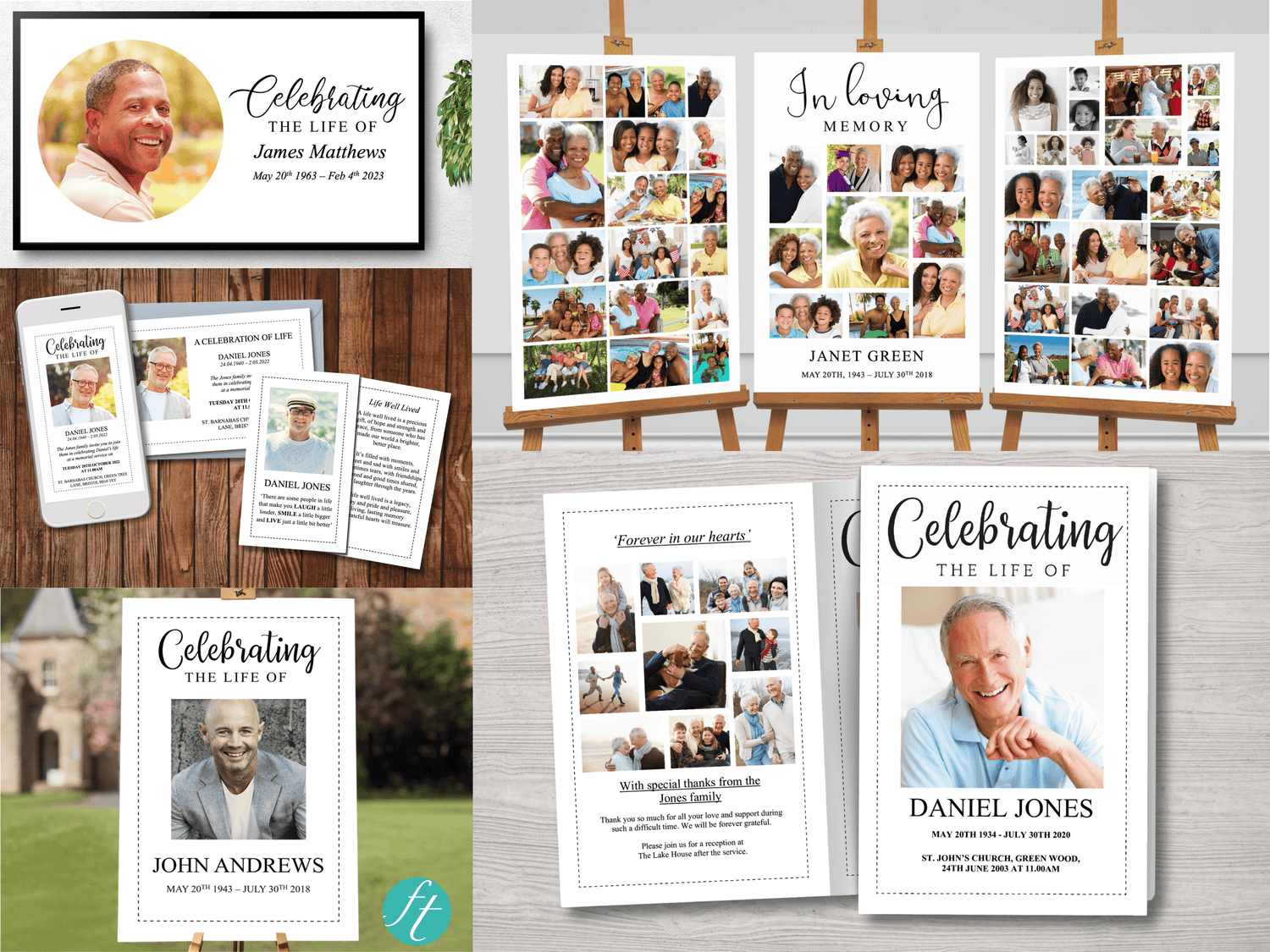
What's included depends on the bundle, so always check the listing. Most of ours include a mix of the following:
- Funeral program: a 4 page or 8 page Word template, in both US Letter and A4 versions.
- Welcome sign: a PowerPoint template in large, medium and small sizes, each with a choice of title.
- Slideshow: a PowerPoint template made for an on-screen show, with space for lots of photos.
- Photo display: three coordinating 24 x 36 inch posters in PowerPoint.
- Extras: depending on the bundle, invitations, thank you cards, prayer cards or bookmarks.
If you'd like to see these items on their own, each has a collection: welcome signs, slideshows, prayer cards, thank you cards and bookmarks.
Five Ways a Matching Bundle Makes Planning Easier

1. One design decision instead of many
Picking a design for the program is hard enough. Picking separate designs for a sign, a slideshow and a thank you card, then hoping they work together, adds stress you don't need. With a bundle, the choice is made once, and every piece follows it.
2. Everything looks consistent for your guests
Guests see the sign first, hold the program during the service and may watch the slideshow before it begins. When all three share the same artwork and style, the service feels thoughtful and pulled together. It also makes a lovely keepsake set for the family afterward.
3. Reuse the same details and photos
The name, dates, photos and wording you add to the program can be copied straight into the sign, the slideshow and the cards. You write them once, check them once, and avoid the mismatches that happen when a date or spelling differs between items.
4. Faster to finish
Because the files are set up to work together, you spend your time adding names and photos rather than hunting for designs and fixing layouts. If you're short on time, starting with a bundle can save hours across the week.
5. Better value
Bundles are priced at up to 50% less than buying the same templates individually. If you know you'll want a program, a sign and a slideshow, a bundle is usually the most affordable way to get all three.
How to Work Through a Bundle Step by Step

These templates are edited in Microsoft Word or Microsoft PowerPoint on a desktop or laptop computer. Here's an order that keeps things simple:
- Start with the program. Add the name, dates, obituary, order of service and photos. If you're not sure how much to include, our guide to funeral program wording examples can help.
- Copy the details across. Reuse the name, dates and main photo on the welcome sign and any cards.
- Build the slideshow. Drop your photos into the collage slides and put them in a sensible order, such as childhood to later years.
- Finish the extras. Add a short message to the thank you cards and a favorite prayer or verse to the prayer cards.
- Proofread everything together. Check names, dates and spellings against each other and ask someone you trust to read them too.
- Print. Programs and cards can be printed at home or at a local print shop. Larger items like welcome signs and photo displays are usually easier to print at a print shop or online. Prints of Love is a popular choice for large prints.
If you haven't edited one of our templates before, our how to edit your funeral template page walks you through it.
Matching Bundles to Look At
Here are a few popular bundles, with a mix of items and styles.
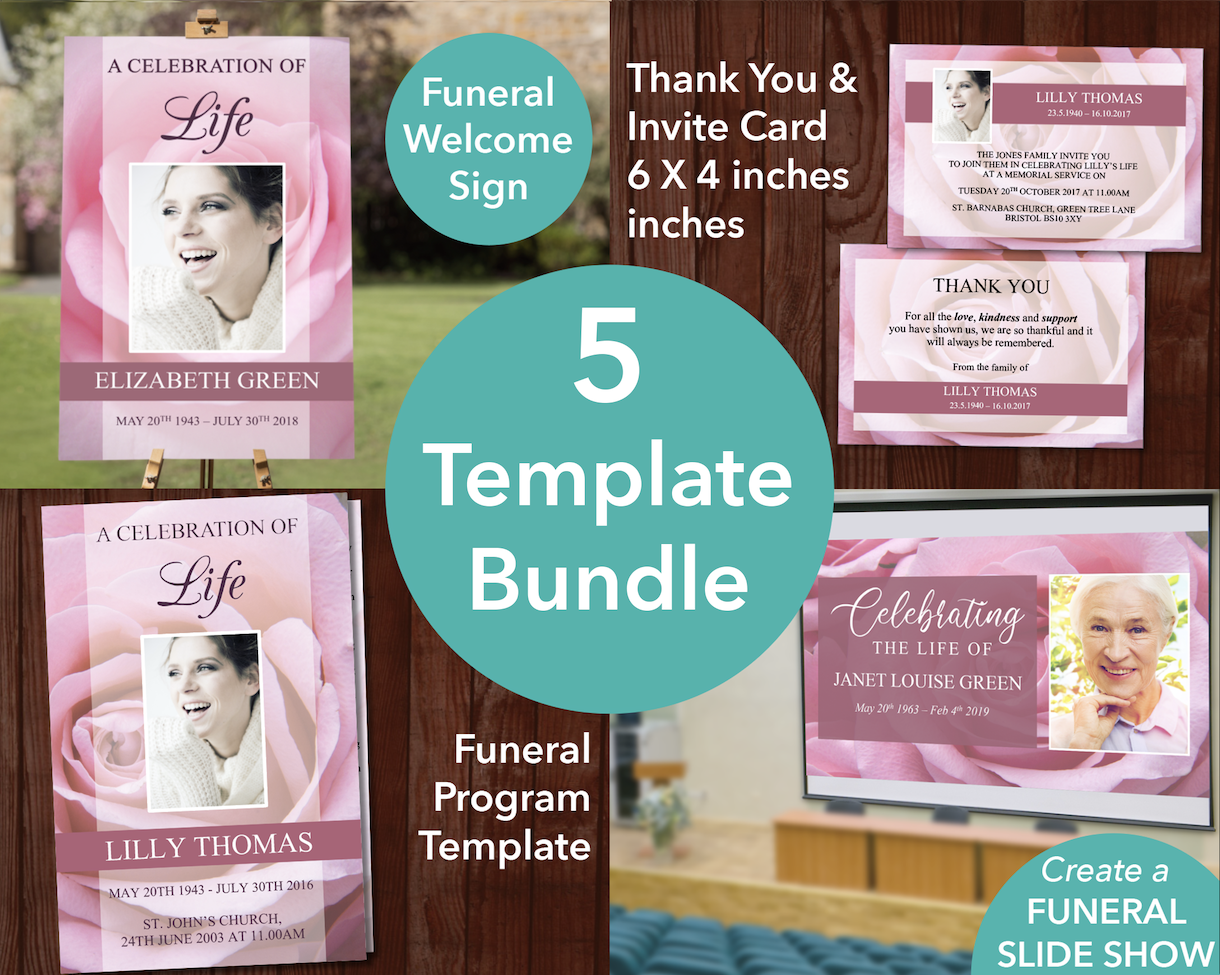
4 Page Pink Rose Program + Sign, Slide Show, Thank You & Invite
A soft pink rose design across ten editable templates: a 4 page program, a slideshow, welcome signs in three sizes, invitations and thank you cards. These are Word and PowerPoint templates for use on a desktop or laptop computer. View this bundle →
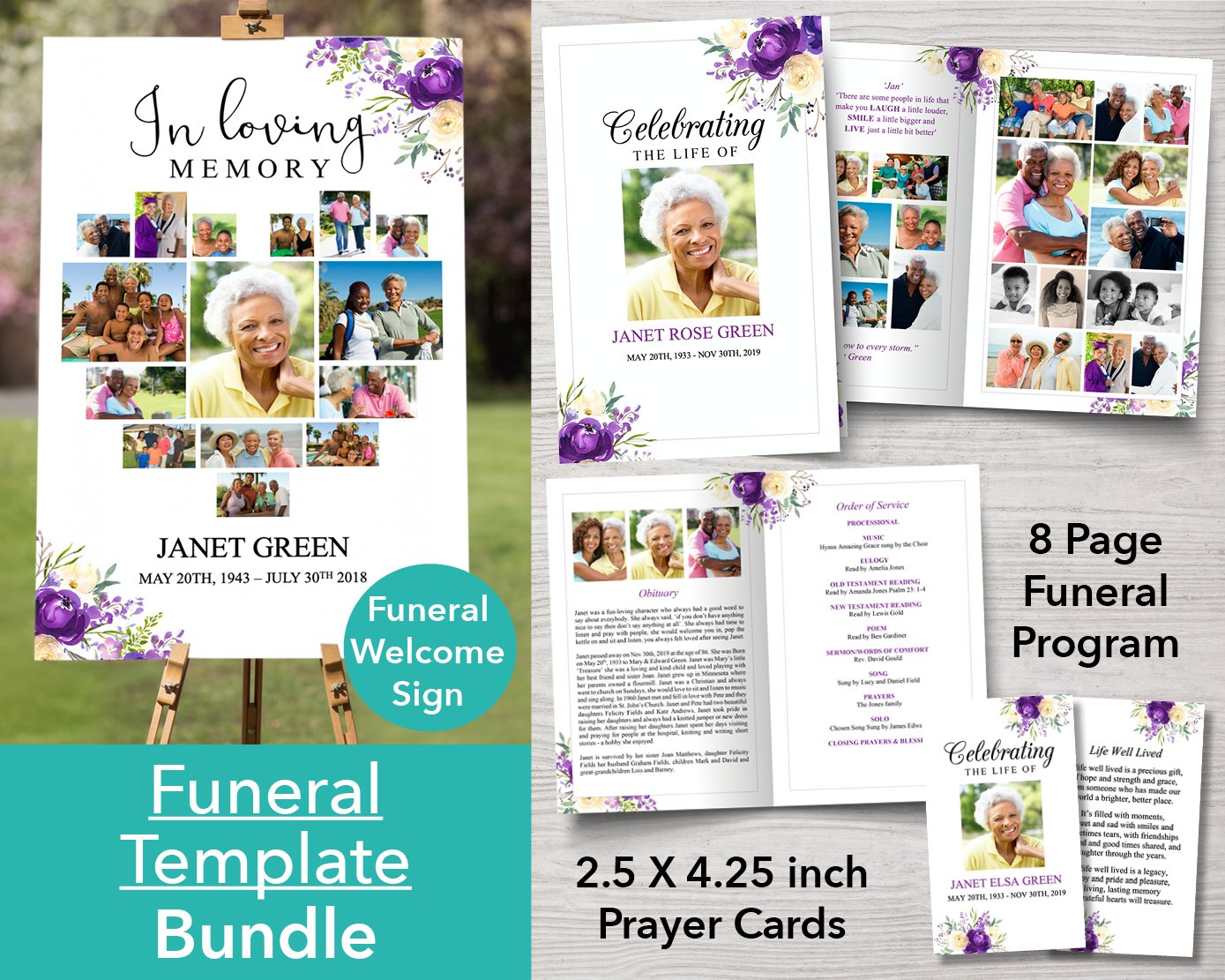
8 Page Purple Bloom Funeral Program + Welcome Sign & Prayer Card
A larger 8 page program with room for a full obituary and order of service, plus a welcome sign in three sizes and prayer cards. Edit it with Microsoft Word and PowerPoint on a desktop or laptop computer. View this bundle →

Classic Funeral Poster Bundle (Canva Templates)
If you prefer to work in Canva, this bundle gives you twenty middle poster templates and sixteen photo collage designs for the left and right posters, in sizes from 12 x 16 up to 24 x 36 inches. View in Canva →
When a Single Template Is Enough
A bundle isn't always necessary. If you only need a program, for example, a single template is simpler and keeps the cost down. Our 4 page and 8 page program collections have Word templates in many styles, and our Canva program templates suit anyone who prefers to design in Canva.
If you start with one template and decide later you'd like a matching sign or slideshow, you can add them separately, though a bundle usually works out cheaper if you already know you'll want several pieces.

Frequently Asked Questions
Can I change the design and wording in a bundle?
You can add, edit, move or delete text and photos in every template. The background artwork can't be changed, and the large headings, such as "In Loving Memory", are images, but you can delete them and type your own title using any font on your computer.
Do I need both Word and PowerPoint?
Our program, sign and slideshow bundles use Microsoft Word for programs, invitations and cards, and Microsoft PowerPoint for welcome signs, slideshows and photo displays. You’ll need both on a desktop or laptop computer to edit everything. If you only have one, choose a single template in that format. The Canva poster bundle is edited in Canva instead.
Can I print everything at home?
Programs, prayer cards, invitations and thank you cards can usually be printed at home. Welcome signs and photo displays are large, so a local print shop or an online printer is easier.
Are bundles for personal use only?
Yes. Our bundles come with a personal license for one family's use. If you're a funeral director looking for templates to use with clients, see our funeral home templates.
Related reading: 4-Page vs 8-Page Funeral Programs: A Simple Guide for Families, How to Display Pictures at a Funeral, How Many Photos Fit on a Funeral Photo Display? and How to Add a QR Code to a Funeral Welcome Sign


